


Our Frankfurt scenery adds 200+ handcrafted buildings across the main downtown and Niederrad areas for MSFS 2020 and MSFS 2024, with support for World Update XVIII. The Frankfurt, Germany city pack gives you two areas to include in a sightseeing session, along with detailed night lighting and signage across the high-rise cityscape.
Why Frankfurt rewards an architectural sightseeing flight
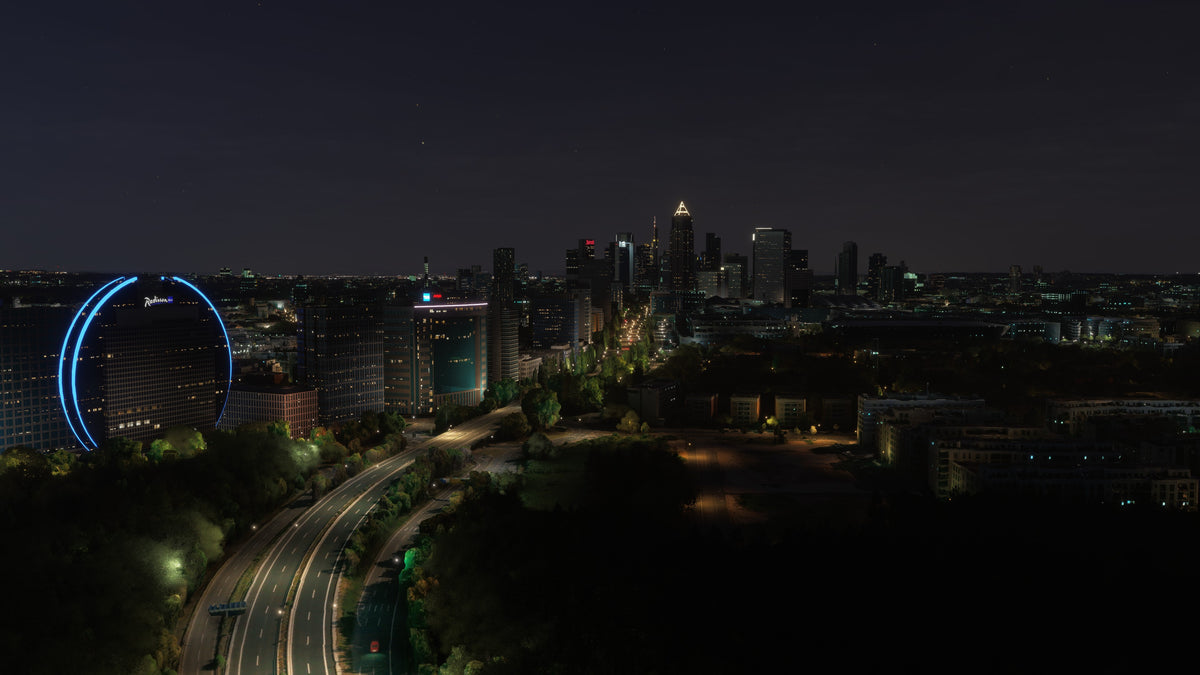
Frankfurt is a good fit for pilots who enjoy high-rise architecture and urban night photography. The modeled downtown and Niederrad buildings give you two areas to explore, while the varying tower profiles, materials, and lighting help individual structures stand apart. The curved blue-lit foreground building in the comparison is a good example of a distinctive feature to seek out during a slower camera tour.
Plan for downtown and Niederrad
Frankfurt’s tall building cluster is the obvious first subject, but the pack also covers Niederrad. Give each area its own place in your itinerary rather than spending the entire session circling the central skyline. A wide view first, followed by a closer pass over each area, helps you appreciate the building collection as a city scene.
The downtown view below shows why Frankfurt makes a useful architectural destination in the simulator. Several tall towers rise above lower blocks, and their different roof profiles remain visible even from an overview. Leave enough space around the cluster to keep the individual shapes distinct.

Explore the materials and tower shapes
The scenery combines handcrafted building models with PBR textures, night lighting, and signage. For daylight exploration, choose a view where you can see two faces of a tower. This makes the profile, window grid, and surface changes easier to inspect than when the building is directly in front of the camera.
Vary your distance as well. A close view is useful for facade detail, while a wider view shows the silhouette of the whole tower group. The city’s familiar “Mainhattan” nickname suits this type of sightseeing: the skyline itself can be the main destination of your flight.
After dark, look for individual lighting patterns
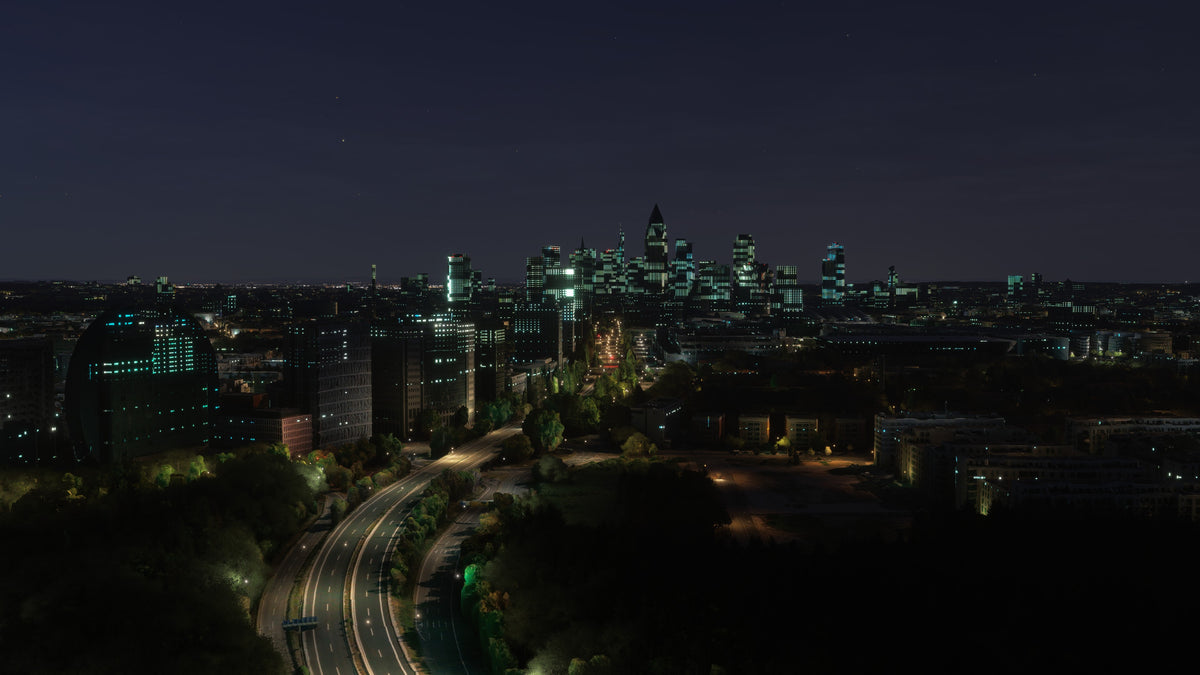
Frankfurt’s night views offer more than an illuminated outline of the daytime skyline. In the screenshot below, blue lighting traces a rounded building in the foreground, with separate roof and facade lights on the distant towers. Follow one distinctive light pattern at a time, then widen the frame to place it back in the city.
A slightly elevated camera angle works well when you want both the foreground buildings and the taller downtown group to remain visible. Darker areas between the light sources also help the buildings read as separate structures.
Frankfurt night views before and after
In the paired view, look first at the rounded foreground building. The add-on traces its curved edges in blue, while the default view mainly shows illuminated windows. Then look toward downtown, where the roof accents and lighting patterns distinguish the tower group.
A suggested two-area Frankfurt tour
- Establish the downtown skyline. Use a broad daytime view to find the main high-rise group. Take an overview before moving close to the towers.
- Choose a facade study. Select one or two buildings with different shapes. Use the camera to compare a full-height composition with a closer window and surface view.
- Include Niederrad. Make a separate sightseeing stop over the second covered area. Give its building group the same wide-to-close treatment so it does not become a quick transition.
- Return to a favorite view after dark. Look for roof accents, lit signs, and the different window patterns across the scene.
- Close with a wider city composition. Bring the taller buildings and surrounding blocks back into one view to finish the session with context.
Watch the Frankfurt official trailer by AviationLads
Official promotional trailer by AviationLads. Watch on YouTube.
What changed in Frankfurt v1.1?
The v1.1 changelog on Flightsim.to lists a custom Frankfurt Hbf station, a longer Messeturm draw distance, and refinements to night lighting and signage. The listing was last updated July 27, 2026. Check your installed version when comparing it with launch-era comments about the station, and confirm which version your purchase channel supplies.
World Update XVIII and installation
The Frankfurt pack supports MSFS 2020, MSFS 2024, and World Update XVIII. World Update compatibility is especially useful to know when planning a scenery setup for the region. If you also use another Frankfurt city package, check its overlap with the downtown and Niederrad coverage before combining them.
Buying direct? Download the scenery from the post-checkout download screen or your purchase email, unzip it, and open the extracted folder. Inside PackagesContent, move the scenery folder to your MSFS Community folder. Our installation guide walks through the process. If your download is missing, email support from the address used for your purchase.
Frankfurt scenery FAQ
Does the pack work with World Update XVIII?
Yes. Compatibility with World Update XVIII is included alongside support for MSFS 2020 and MSFS 2024.
Which parts of Frankfurt are covered?
The 200+ handcrafted buildings are concentrated in the main downtown and Niederrad areas. Plan a stop in each area for a fuller look at the pack.
Is this a city scenery or an airport-focused package?
This is a city scenery pack focused on buildings, textures, lighting, and signage. Its sightseeing subjects are the Frankfurt skyline and the two covered urban areas.
What should I look for during a night flight?
Look for distinct roof accents, facade lighting, and illuminated signs. A broader viewpoint can combine a foreground building’s lights with the high-rise group behind it.
How can I inspect the buildings without rushing?
Use the simulator camera for a few deliberate stops. Start with a whole-building view, then change the angle or framing to examine the facade, and finish with the building back in the skyline.
What simmers say
Selected customer and community reviews:
“The Messeturm and Commerzbank Tower look wonderful at night.”
The same launch-era post found a handful of building models somewhat stylized.
“Very realistic and FPS friendly even in VR.”
Performance impressions reflect the reviewer’s own setup.
“Very good real work!”
Community discussions
- Frankfurt screenshots and feedback on the MSFS forums
- Frankfurt before-and-after discussion on Reddit (developer post)
Explore Frankfurt in the simulator
See the full screenshot gallery and current purchase options on the Frankfurt, Germany product page. Include both downtown and Niederrad when you plan your first session.
For setup or compatibility help, email dan@dfflyerdirect.com or visit the Dfflyer Direct Discord. Browse more destinations in our scenery guides.